 Specs
SpecsASUS ProArt PA279CRV vs BenQ PD2706U: the P3 duel
The short answer. The ASUS ProArt PA279CRV is best for buyers who need published wide-gamut figures, more than two video inputs and the lowest power draw, at $429.00. The BenQ PD2706U is best for buyers who need a KVM switch, Pantone validation and the lowest price, at $399.99. Both sheets were read on the makers' US pages on October 13, 2026. Every figure below is published by the manufacturer. This is a comparison of spec sheets, not a measurement session: nobody here switched either monitor on, so no row describes how a panel looks.
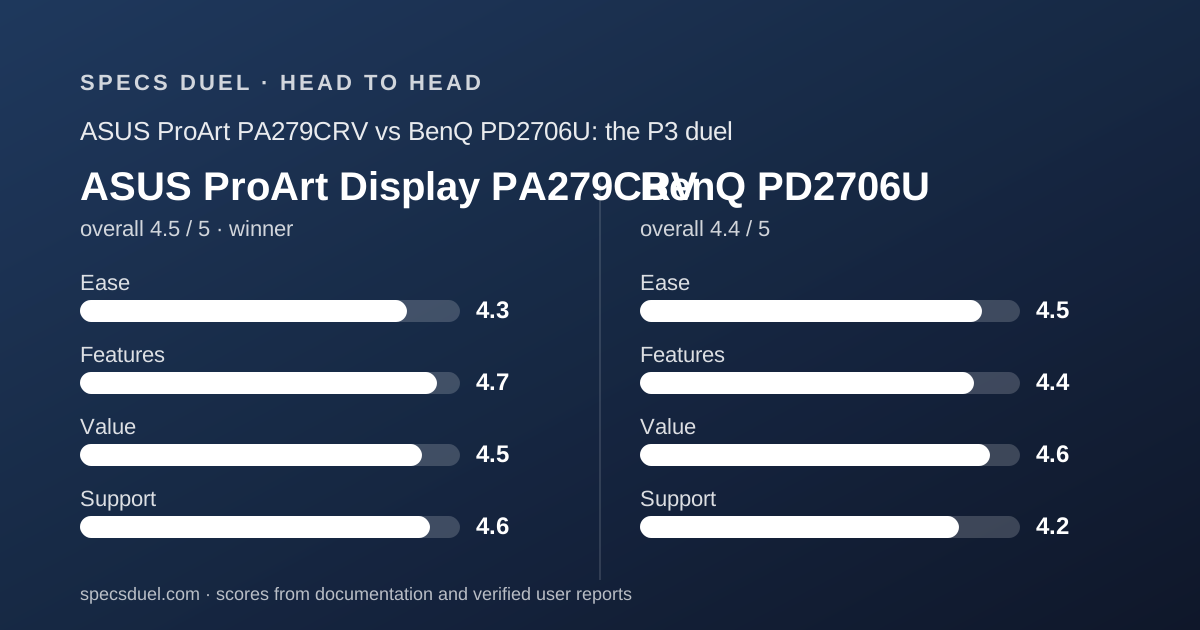
 4.5ASUS ProArt Display PA279CRV
 4.4BenQ PD2706U
Row by row, part one: the ASUS wins colour, inputs and power; the BenQ wins price and switching
Every line below is ASUS first, BenQ second, then the difference.
Figures come from the asus.com US overview and tech-spec pages, the ASUS model warranty page, the BenQ en-us specification and store pages, and the BenQ America monitor warranty page, all read on October 13, 2026.
Where a maker does not print a figure, the line says not printed.
- Price: $429.00 | $399.99 | BenQ $29.01 cheaper
- Panel: 27 in IPS anti-glare | 27 in IPS matte | same class, different coating name
- Resolution and density: 3840x2160 at 163 PPI | 3840x2160 at 163 PPI | identical
- Refresh: 60 Hz | 60 Hz | identical
- Response: 5 ms GTG | 5 ms GtG | identical as printed
- Brightness: 350 cd/m2 typical, 400 peak | 350 nits typical, 400 nits peak | identical as printed
- Contrast: 1000:1 typical and 3000:1 maximum | 1200:1 native | BenQ 200:1 higher on the comparable row
- sRGB: 100% | 100% | identical
- Rec.709: not printed | 100% | BenQ only
- Adobe RGB: 99% | not printed | ASUS only
- P3: 99% DCI-P3 | 95% P3 | ASUS four points higher, and the labels differ
- Colour accuracy: Delta E under 2 | Delta E at 3 or under | ASUS tighter on paper
- Colours: 1073.7M at 10 bit | 1.07 billion at 10 bit | same figure, different notation
- HDR: HDR10 plus DisplayHDR 400 listed in the certificate block | HDR10 plus VESA DisplayHDR 400 in the display block | same certification, published in different places
Row by row, part two: the gap widens on ports, weight and wattage
The second half of the table is where the two sheets stop looking alike. One monitor is built to take four video sources and sip power; the other is built to run two computers from one keyboard.
- Video inputs: 2x HDMI 2.0 and 2x DisplayPort 1.4 with daisy chain | 1x HDMI 2.0 and 1x DisplayPort 1.4 | ASUS two more inputs, and the only daisy chain row
- USB-C power delivery: 96 W | 90 W | ASUS 6 W more
- KVM switch: not printed | yes | BenQ only
- Pantone: not printed | Pantone Validated and Pantone SkinTone Validated | BenQ only
- Colour modes: 10 ProArt presets | 13 modes | BenQ three more named modes
- Hub: 1x USB-C and 3x USB-A at 3.2 Gen 1 | 1x USB-C downstream, 1x USB-B upstream, 3x USB 3.2 downstream | BenQ one more port on the count
- Speakers: 2 W x2 | 2.5 W x2 | BenQ 0.5 W more per channel
- Height adjustment: 0 to 130 mm | 110 mm | ASUS 20 mm more travel
- Swivel: 30 degrees each way | 15 degrees each way | ASUS 30 degrees more in total
- Tilt: +23 to -5 degrees | -5 to 20 degrees | ASUS 3 degrees more backward tilt
- Weight with stand: 5.78 kg | 8.3 kg | ASUS 2.52 kg lighter
- Weight without stand: 4.07 kg | 5.3 kg | ASUS 1.23 kg lighter
- Power typical: 26.14 W | 45 W | ASUS 18.86 W lower
- Power off: 0 W on a hard switch | not printed, sleep given as under 0.5 W | ASUS prints a true-off row
- Eco marks: EPEAT Gold, Energy Star, TCO Certified, TUV low blue light, TUV flicker-free | TUV flicker-free, TUV low blue light | ASUS three more marks
- Owner score on the maker's page: none published | 5.00 from 2 reviews | neither sample is usable
Colour: the ASUS is the only one of the two that prints an Adobe RGB figure
If the purchase is driven by colour work, this row decides it. ASUS prints 100% sRGB, 99% Adobe RGB and 99% DCI-P3 with colour accuracy stated as Delta E under 2.
BenQ prints 100% sRGB, 100% Rec.709 and 95% P3 with Delta E at 3 or under.
The four-point P3 gap is real but small. The Adobe RGB blank is the bigger problem, because print and photo workflows are specified in Adobe RGB and BenQ gives no number to check against.
BenQ answers with validation rather than coverage. It is listed as Pantone Validated and Pantone SkinTone Validated, which ASUS does not claim for this model, and it prints thirteen colour modes against ten ProArt presets. Both ship a factory calibration report in the box.
Both makers describe these as published panel figures. Neither number came from a measurement here, and a buyer who needs certainty should ask for the calibration report of the actual unit.
The full row set sits in the ASUS ProArt PA279CRV spec sheet and the BenQ PD2706U spec sheet.
Pricing: the BenQ saves $29.01 up front and spends 18.86 W more at the wall
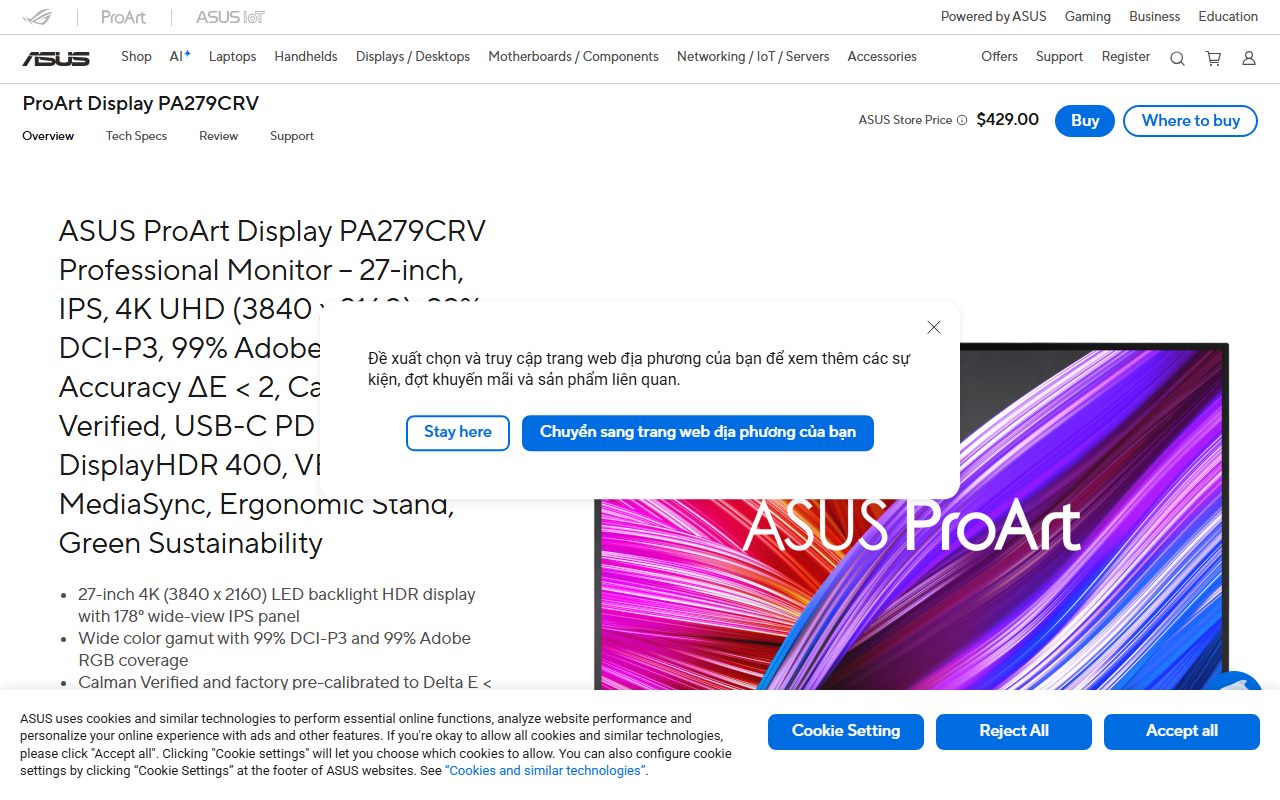
BenQ showed $399.99 and an in-stock state on its own US store on October 13, 2026. ASUS showed an ASUS Store price of $429.00 on its US tech-spec page the same day, a figure that only appeared once the page was rendered in a browser.
The purchase gap is $29.01 in BenQ's favour. The running gap goes the other way: 26.14 W typical on the ASUS sheet against 45 W typical on the BenQ sheet, a difference of 18.86 W as published.
That is an editorial subtraction from two published typical-draw figures, measured under conditions neither maker states. It is not an energy bill estimate, and typical draw depends on brightness and content.
BenQ also lists accessory bundles on the store page, including an Ergo Arm at plus $149.99, plus free US shipping over $35 and free returns within 30 days excluding Hawaii, Alaska and US territories.
ASUS publishes no bundle or shipping terms on the product page at all.
Connectivity: the ASUS takes four video sources, the BenQ has the only KVM switch
The ASUS sheet prints two HDMI 2.0 inputs, two DisplayPort 1.4 inputs with daisy chain and a USB-C port carrying DisplayPort Alt Mode at 96 W. That is four video sources before the USB-C is counted.
The BenQ sheet prints one HDMI 2.0, one DisplayPort 1.4 and one USB-C at 90 W, and then adds the row the ASUS does not have: a KVM switch, with DualView, PIP and PBP, Auto Pivot and ICCsync beside it.
These are two different desks. A studio with a tower, a laptop, a console and a capture box wants the ASUS input count.
A desk with a work laptop and a personal machine sharing one keyboard wants the BenQ KVM, and would otherwise need a separate switch box.
Neither sheet prints an Ethernet port. For reference, the Samsung ViewFinity S80TB in the same cluster takes a different route again with two Thunderbolt 4 ports at 90 W and 15 W, a single HDMI input and no KVM row.
Ergonomics: the ASUS gives 20 mm more height travel and weighs 2.52 kg less
The ASUS stand prints 0 to 130 mm of height adjustment, tilt from +23 to -5 degrees, swivel 30 degrees each way, pivot 90 degrees each way and a Kensington lock slot.
The BenQ stand prints 110 mm of height, tilt from -5 to 20 degrees, swivel 15 degrees each way and a 90 degree pivot with Auto Pivot.
The swivel difference is the one people notice on a shared desk: 60 degrees of total sweep against 30. The height difference is 20 mm.
Weight is the larger practical gap. ASUS prints 5.78 kg with the stand and 4.07 kg without; BenQ prints 8.3 kg and 5.3 kg.
On a monitor arm rated in pounds, that is 12.74 lbs against 18.30 lbs with stands attached, and 8.97 lbs against 11.68 lbs on the panel alone.
Both use a 100x100 mm VESA pattern. The BenQ ships a hotkey puck for mode switching; the ASUS ships a quick release stand and relies on on-screen controls.
Warranty: both say three years, but only the ASUS dot policy runs the full term
Length is a draw. The ASUS warranty page gives 36 months from the date the product was first bought by an end customer.
The BenQ warranty page gives three years from the purchase date by the original retail purchaser, parts and labour only, with no advance replacement.
The pixel policy is not a draw. For PA series panels ASUS covers 0 bright sub-pixels and up to 5 dark sub-pixels across the whole 36 months.
BenQ offers a zero bright dot exchange for PD models, but its own table gives the warranty period for bright sub-pixel defects as 30 days from date of purchase, while the prose above the table says the guarantee runs for the limited warranty period.
Both readings are printed on the BenQ page as of October 13, 2026, and the page footer dates its content to May 2020. A buyer who cares about this should ask BenQ which window applies in writing before ordering.
BenQ states clearer service geography, the continental United States plus Hawaii and Alaska, with shipping covered during the warranty period. ASUS excludes bundled cables and gifts from cover.
What the owner scores can and cannot tell you here
Neither maker provides a usable owner sample for these two models. The BenQ store page shows 5.00 out of 5.00 from two reviews. The ASUS pages show no owner score at all; the Review tab lists press awards and video reviews instead.
Two reviews is not evidence, and a missing score is not a bad score. Both are reported here so that no reader mistakes the BenQ 5.00 for a verified result.
For contrast, the third sheet in this cluster has the opposite profile: Samsung publishes 3.1 out of 5 from 26 reviews with 43% of reviewers recommending the model, a sample large enough to mean something and a score low enough to matter.
That is the shape of the whole comparison. These are published figures with published conditions. Readers who want measured panel results should look for a site with instruments, and treat this page as the table to take with them.
How this duel was built, and where the method came from
Specs Duel builds the table before it writes a sentence. Each page is read as plain text first, then rendered in a headless browser, and a row is only called blank after both passes fail.
On the ASUS page that second pass is what produced the $429.00 price.
The method was set in the earlier clusters on this site.
The air purifier shortlist by room size ranks only on figures the makers print, and the two duels behind it, Coway Airmega Mighty against Blueair Blue Pure 311i Max and Levoit Core 300S against Coway Airmega Mighty, carry a difference column rather than a verdict paragraph.
The single purifier sheets show what a blank row costs a buyer.
The Coway Airmega Mighty and the Blueair Blue Pure 311i Max both print noise bands where the Levoit Core 300S leaves a gap, and the Dreame L40 Ultra Gen 2 spec sheet shows the other failure mode, a headline figure that only means something once its in-house lab disclaimer is read with it.
Monitors behave the same way. Here the blanks are Adobe RGB on the BenQ sheet and the KVM row on the ASUS sheet, and those two blanks are the entire decision.
Choose the ASUS if colour and inputs decide it; choose the BenQ if switching and price decide it
Both sheets are credible. The question is which blank you can live with.
- Choose the ASUS ProArt PA279CRV if Adobe RGB coverage must be a published figure, since BenQ prints none
- Choose the ASUS if three or more machines feed the screen, because it prints four video inputs and daisy chain
- Choose the ASUS if power or desk weight matters, at 26.14 W and 5.78 kg against 45 W and 8.3 kg
- Choose the ASUS if the dot policy has to cover the full term, at 0 bright sub-pixels for 36 months
- Choose the BenQ PD2706U if one keyboard must drive two computers, because only this sheet prints a KVM switch
- Choose the BenQ if $399.99 is the ceiling, saving $29.01 against the ASUS
- Choose the BenQ if Pantone references are part of the job, with Pantone Validated and SkinTone Validated printed
- Choose the BenQ if a physical mode controller is wanted, since the Hotkey Puck G2 is in the box
Bottom line: the ASUS wins the table, the BenQ wins the one row the ASUS left blank
On published figures the ASUS ProArt PA279CRV takes colour, input count, power delivery, draw, weight, height travel, swivel, eco marks and the dot policy. The BenQ PD2706U takes price, the KVM switch, Rec.709, Pantone validation, native contrast, speaker output, colour mode count and box contents.
That is why the ASUS is the winner of this duel and why the margin is narrow. $29.01 separates them on price, and 18.86 W separates them on typical draw in the other direction.
On our rubric the ASUS scores 4.5 overall against 4.4 for the BenQ, and the third sheet in the cluster, the Samsung ViewFinity S80TB, sits at 3.5 for $579.99.
Full row sets, warranty conditions and vendor caveats are in the ASUS ProArt PA279CRV spec sheet and the BenQ PD2706U spec sheet. Prices and stock states are as displayed on the makers' US pages on October 13, 2026 and should be confirmed at checkout.
Visit ASUS ProArt Display PA279CRV
We have no affiliate relationship with this vendor. Link goes to the official site.
Visit BenQ PD2706U
We have no affiliate relationship with this vendor. Link goes to the official site.